How to Monitor Solar Panel Performance
You've just invested in solar panels, or maybe you've had them for a while, and now you're wondering: how do I actually know if they're doing what they're supposed to? It's a completely valid question! Many homeowners feel a bit in the dark after installation, unsure how to verify that their system is churning out all the clean energy and savings they were promised. This comprehensive guide will walk you through everything you need to know about effectively monitoring your solar panel performance, empowering you to understand your system's output and catch any issues early.
The Essential Role of Monitoring Your Solar Investment
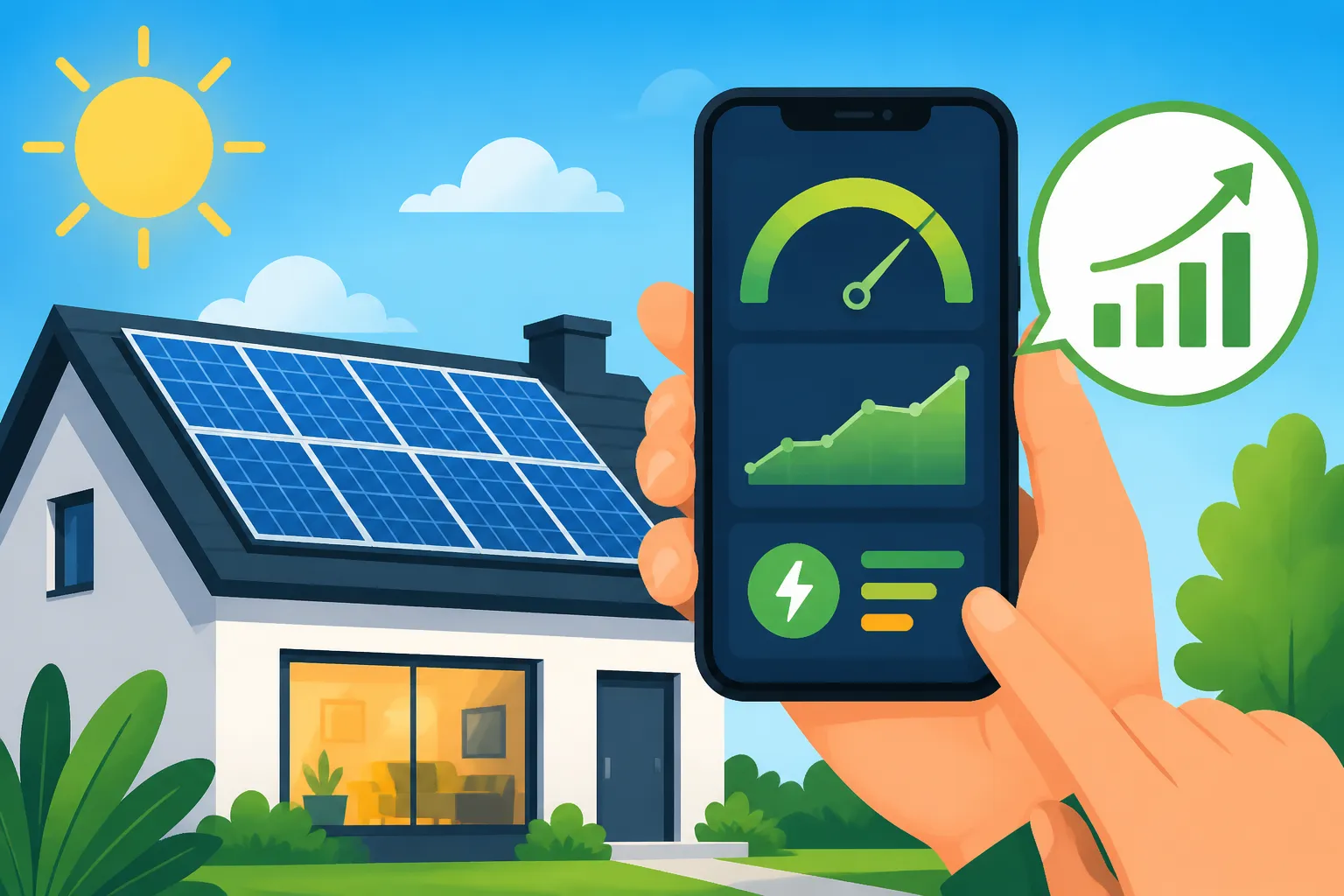
Think of your solar monitoring system as the heartbeat monitor for your home's energy production. Without it, you wouldn't know if your panels are healthy, if they're underperforming, or if there's a serious issue lurking beneath the surface. For many homeowners, the thought of their solar system not pulling its weight is a significant concern, especially when they're expecting specific savings or a quick Solar Panel Payback Period Explained . Regularly checking in on your solar output isn't just about curiosity; it's about protecting your investment and ensuring you get the maximum benefit.
Catching Issues Before They Become Costly Problems
One of the most critical reasons to monitor your solar panels is to proactively identify and address potential problems. Imagine if one of your panels stopped working, or if your inverter started malfunctioning. Without monitoring, you might not notice for weeks, even months, until you get a higher-than-expected electricity bill. By then, you could have lost a significant amount of potential energy production and, consequently, savings. Early detection allows you to contact your installer or service provider immediately, often while the issue is still covered under warranty, minimizing downtime and financial impact. It’s like getting a check-engine light in your car; you don't want to ignore it until your engine seizes up.
For example, a sudden, unexplained drop in daily production on a sunny day could indicate a faulty microinverter, a damaged panel, or even a build-up of debris. If left unchecked, this small problem could lead to substantial losses over time. This kind of vigilance is particularly important in states like California, where net metering rules have changed, making every kilowatt-hour of self-consumption or export even more valuable.
Maximizing Your Energy Production and Savings
When you monitor your solar panel performance, you're not just looking for problems; you're actively ensuring your system is operating at its peak potential. Optimal performance directly translates into maximum energy production, which, in turn, leads to greater savings on your electricity bills. If you see your system consistently underperforming compared to its historical averages or expected output, it prompts you to investigate. Is it time for a Solar Panel Maintenance & Cleaning session? Is there an obstruction you hadn't noticed?
Knowing your daily, weekly, and monthly production allows you to understand how much energy you're truly offsetting from the grid. This insight helps you make informed decisions about your energy consumption patterns, potentially shifting high-usage activities to times when your solar production is highest. For instance, if you notice a dip in production during certain hours, it might be due to a newly grown tree branch casting a shadow. Addressing this could immediately boost your output, ensuring you're getting the most out of every ray of sunshine.
Understanding Your System's True Value Over Time
Your solar panels are a long-term investment, often lasting 25 years or more. Monitoring their performance over this extended period gives you invaluable data about their degradation rate and overall value. While panels are designed to gradually lose a small percentage of efficiency each year (known as the degradation rate, typically 0.5% to 1% annually), significant deviations from this expected rate could signal a manufacturing defect or environmental factor affecting their longevity.
By tracking consistent data, you can see how your system contributes to your home's energy independence and financial well-being. This information is also incredibly useful if you ever decide to sell your home, as robust performance data can be a significant selling point, demonstrating the tangible benefits to prospective buyers. It helps solidify the argument that Do Solar Panels Increase Home Value?. A well-documented history of strong solar production reassures buyers that the system is a valuable asset, not a potential headache.
Key Metrics You Should Be Tracking
Diving into solar monitoring can feel a bit like learning a new language, full of terms like kWh, irradiance, and performance ratio. But don't worry, it's not as complicated as it sounds! Understanding a few key metrics will give you a clear picture of how well your solar panels are actually working and whether they're meeting your expectations. These numbers are the backbone of effective How Much Can You Save With Solar Panels? calculations.
Daily, Monthly, and Annual Energy Production
This is probably the most straightforward and important metric: how much electricity your solar system is generating. Energy production is typically measured in kilowatt-hours (kWh). Most monitoring systems will display your daily production, along with cumulative totals for the month and year.
- Daily Production: This number tells you how much energy your panels produced on a specific day. You'll notice natural fluctuations based on sunlight intensity, cloud cover, and time of year. A sunny summer day in Phoenix, Arizona, will yield significantly more kWh than a cloudy winter day in Seattle, Washington.
- Monthly Production: By aggregating daily totals, monthly production gives you a broader perspective. You can compare this month's output to the same month last year, or against the estimated production figures provided by your installer. This helps smooth out daily variations and reveal seasonal trends.
- Annual Production: This is the grand total, representing how much electricity your system generates over a full year. This is the figure most commonly used to calculate your overall savings and how close you are to offsetting your home's total electricity consumption. It's also the benchmark against which your system's long-term Solar Panel Efficiency & Degradation Explained is measured.
Many homeowners find it helpful to track these numbers against their utility bills to see how much of their electricity usage is being covered by solar. If you're consistently producing less than expected, it might be time to investigate further, perhaps through a more detailed look at your system's components or environmental factors.
System Efficiency and Performance Ratio
While "efficiency" is often used to describe how well an individual solar panel converts sunlight into electricity (e.g., a 20% efficient panel), when we talk about system efficiency or performance ratio (PR) in monitoring, we're looking at the overall effectiveness of your entire solar installation. The performance ratio is a measure of the system's actual output compared to its theoretical output under ideal conditions, taking into account factors like temperature, shading, and inverter losses.
A higher performance ratio indicates a better-performing system. For residential systems, a good PR typically falls between 75% and 85%, though it can vary based on location and system design. Your installer should be able to tell you the expected PR for your specific system. If your PR is consistently low, it could point to a systemic issue like persistent shading, inverter inefficiency, or even dirty panels that require Do Solar Panels Need Cleaning?. This metric helps you understand if your system is operating as effectively as possible given real-world conditions.
Comparing Actual Output to Expected Projections
When you first go solar, your installer provides you with an estimate of how much electricity your system is expected to produce over a year. These projections are usually based on sophisticated modeling that considers your roof's tilt and azimuth, local weather patterns, and the specific equipment being installed. Monitoring allows you to directly compare these projections with your system's actual performance.
Many monitoring apps will even overlay your actual production data directly onto your projected output graphs, making it easy to see if you're on track. It's important to remember that projections are estimates; occasional deviations are normal. However, consistent underperformance (or even overperformance!) against these projections over several months or a year warrants attention. This comparison is a powerful tool for ensuring that your investment is truly paying off as anticipated, providing peace of mind or prompting action when necessary.
Tools and Platforms for Solar Monitoring
Thankfully, gone are the days when you needed to manually climb on your roof with a multimeter to check your solar system's health. Modern solar technology comes with sophisticated monitoring capabilities that put all the data you need right at your fingertips. From dedicated apps to online dashboards, there are several ways to keep an eye on your solar panel performance.
Inverter-Based Monitoring Systems
The heart of most solar monitoring lies with your inverter technology. Whether you have a string inverter, microinverters, or power optimizers, these devices are designed not only to convert DC electricity from your panels into AC electricity for your home but also to collect and transmit performance data.
- Microinverters (e.g., Enphase): Systems like Enphase Energy are famous for their panel-level monitoring. Each solar panel has its own microinverter, meaning you can see the individual performance of every single panel on your roof. This is incredibly useful for pinpointing issues quickly. If one panel is underperforming due to shade or a defect, the Enphase Enlighten app will show you exactly which one it is, rather than just a general drop in system output. This granular data can make troubleshooting much faster and more efficient for installers. The ability to see each panel's contribution also provides fascinating insight into how different parts of your roof perform throughout the day.
- Power Optimizers (e.g., SolarEdge): SolarEdge systems use power optimizers at each panel, which then feed into a central string inverter. Like microinverters, SolarEdge's monitoring platform allows for panel-level data, giving you detailed insights into individual panel performance. Their app, MySolarEdge, offers a comprehensive dashboard where you can track energy production, consumption (if you have a meter installed), and even battery status if you have one. This helps identify issues like shading on specific panels, much like microinverter systems, but with the added benefit of simpler wiring to the central inverter.
- String Inverters (e.g., SMA, Fronius): Traditional string inverters typically monitor the performance of entire strings of panels, rather than individual ones. While you won't get panel-level detail, these systems still provide crucial data for the overall array. Their accompanying apps (e.g., SMA Sunny Portal, Fronius Solar.web) show total system production, historical data, and often alert you to any system-wide errors or faults. For larger, unshaded roofs, string inverter monitoring can be perfectly adequate for ensuring overall system health.
Most inverter manufacturers provide their own user-friendly apps that can be downloaded to your smartphone or accessed via a web browser. These platforms are typically included with your system and are a primary way homeowners engage with their solar data.
Third-Party Monitoring Apps and Dashboards
While manufacturer apps are robust, some homeowners might prefer or find value in third-party platforms that offer consolidated views, especially if they have a complex setup or want to integrate solar data with other smart home systems. Some companies offer integrated platforms that allow you to monitor your entire home energy ecosystem, including solar production, battery storage, and even EV charging.
For instance, companies that assist with finding solar installers, like Modernize, often highlight the importance of advanced monitoring systems when connecting homeowners with reputable providers. They understand that transparency and ease of access to performance data are key factors for homeowner satisfaction. While these third-party platforms aren't usually standalone monitoring solutions that replace your inverter's data, they can sometimes offer enhanced analytics or more customizable dashboards for those who want to deep-dive into their energy usage.
Manual Checks and Visual Inspections
Even with the most advanced digital monitoring, there's still a place for good old-fashioned manual checks. Think of it as a complementary layer of vigilance. Regularly taking a visual walk around your property (from the ground, of course!) can sometimes spot issues that electronic monitoring might miss or not explicitly identify.
- Shading: Are new trees growing tall enough to cast shadows on your panels at certain times of day? Has a new antenna or satellite dish been installed that's now obstructing sunlight? Visual checks can catch these environmental changes.
- Debris: While rare, things like leaves, bird droppings, or even significant dust accumulation can impact performance. A quick look can confirm if your panels are clear or if they might benefit from a cleaning.
- Physical Damage: Although unlikely, severe weather could potentially cause visible damage. A quick glance can reveal anything obviously amiss, like a cracked panel or loose wiring (though caution is always advised, and professionals should handle any direct interaction with the system).
- Inverter Display: Most string inverters have a small display screen directly on the unit. This screen often shows current production, historical data, and any error codes. A quick check of this display can confirm what your app is telling you or provide a backup if your internet connection is down.
While digital monitoring is indispensable, these simple visual checks can provide context and sometimes point to issues that require a more hands-on approach or a call to your installer.
Deciphering Your Solar Data: What the Numbers Tell You
Once you have your monitoring system up and running, you'll start seeing a lot of numbers. It's easy to feel overwhelmed, but learning to interpret this data is key to becoming a truly informed solar homeowner. It's about understanding what's normal, what's a minor fluctuation, and what truly indicates a problem that needs attention. This insight is critical for anyone trying to maximize their Solar ROI & 25-Year Savings Breakdown.
Recognizing Normal Fluctuations vs. Red Flags
The first step in interpreting your solar data is to establish a baseline for "normal." Your solar production will fluctuate constantly, and that's perfectly normal.
- Normal Fluctuations:
- Time of Day: Production will naturally ramp up after sunrise, peak around midday (often slightly before solar noon, depending on system tilt and orientation), and decline towards sunset.
- Weather: Cloudy days, rain, and heavy fog will significantly reduce production. Even light haze can have an impact. Don't be alarmed if a dreary day yields a fraction of a sunny one.
- Seasons: Summer typically sees higher production due to longer daylight hours and higher sun angles, while winter has shorter days and lower sun angles, leading to less output. For example, if you're in New York, your winter production might be half or even a third of your summer peak.
- Temperature: Surprisingly, solar panels are slightly less efficient in extreme heat. They produce more power on cool, sunny days than on extremely hot, sunny ones.
- Red Flags (Consistent or Sudden Drops):
- Sudden Drop on a Clear Day: If you wake up to a perfectly sunny day, but your monitoring shows significantly lower production than usual for that time of year, this is a major red flag.
- Consistent Underperformance: If your monthly or annual production is consistently falling short of your installer's initial projections, especially after accounting for normal weather variations, there might be an underlying issue.
- Zero Production: This is the most obvious red flag. If your system shows zero production when the sun is out, something is definitely wrong. Check your inverter display for error messages first.
- One Panel Down (Microinverter/Optimizer Systems): If you have panel-level monitoring and one specific panel consistently shows zero or significantly reduced output compared to its neighbors, it likely indicates a problem with that panel or its microinverter/optimizer.
A useful strategy is to develop a habit of quickly checking your app daily or every few days. A quick glance at the daily production compared to the previous day (considering weather) is usually enough to catch obvious discrepancies.
Impact of Weather and Seasonal Changes on Output
It's crucial to contextualize your solar data with local weather conditions. A sharp dip in production on a rainy Tuesday is not a cause for alarm if the forecast called for storms. However, if that same dip occurs on a day of blue skies, then you have a problem. Keep an eye on local weather reports or use the weather integration often found within your solar monitoring app.
Different seasons also bring predictable changes. In the spring, as days lengthen and the sun climbs higher, you'll see a steady increase in production. Peak production generally occurs in late spring and early summer. As fall approaches, days shorten, and the sun's path lowers, leading to a natural decrease in output. Understanding these natural cycles will prevent unnecessary worry when your December production looks vastly different from your June numbers. This is part of the realistic expectations you should have for your Solar Panel Cost vs Other Home Upgrades and its long-term performance.
Identifying Potential Equipment Malfunctions
Your monitoring system is your first line of defense against equipment failures. Error codes and specific performance patterns can often point directly to what's going wrong.
- Inverter Errors: Most monitoring apps will display specific error codes if your inverter detects a problem. These codes can range from grid connection issues to internal faults. Document these codes immediately and provide them to your installer.
- Microinverter/Optimizer Faults: If you have panel-level monitoring, a consistently low or zero reading from a single panel or a string of panels points to a potential issue with that specific microinverter, optimizer, or the panel itself. This is where systems like Enphase or SolarEdge really shine, offering precise fault location.
- Connectivity Issues: Sometimes, your monitoring system might simply lose connection to the internet or the inverter. This doesn't mean your panels aren't producing, but it does mean you're flying blind. Check your home's internet connection and the monitoring gateway's status lights (often a small box near your inverter or electrical panel).
When you see a red flag, gather as much information as possible: the date and time of the anomaly, the specific error codes, and the general weather conditions. This will be invaluable when you reach out for support.
Common Performance Problems and Initial Troubleshooting
Even the best solar systems can encounter hiccups from time to time. The good news is that many common performance issues are either easily identifiable through monitoring or can be addressed with some basic troubleshooting steps before you need to call a professional. Knowing what to look for and what initial actions you can take can save you time and potential service fees.
Dealing with Unexpected Drops in Production
An unexpected drop in your solar production can be unsettling, especially if it's a bright, sunny day. Before you panic, consider these common culprits and initial troubleshooting steps:
- Shading: This is perhaps the most frequent cause of reduced output. Has a new tree grown? Has a satellite dish been installed? Is there a chimney or vent casting a shadow that didn't before? Walk around your property during peak sun hours and observe the panels. Even partial shading on one panel, especially in string inverter systems, can significantly reduce the output of the entire string. If it's a temporary obstruction like leaves, consider a Solar Panel Cleaning: How and How Often. If it's a permanent shade issue, you might need to consult an arborist or your solar installer.
- Dirt and Debris: While rain often cleans panels, heavy dust, bird droppings, pollen, or accumulated grime can block sunlight. A general rule of thumb is that dirty panels can reduce efficiency by 5-10%, sometimes more in heavily soiled situations. If a visual inspection confirms dirty panels, and you feel comfortable and safe doing so, a gentle rinse with a hose on a cool morning can sometimes restore performance. However, for significant buildup or hard-to-reach panels, professional cleaning is recommended.
- System Overload/Clipping: In some cases, particularly during peak production hours on exceptionally sunny days, your inverter might "clip" output if it's rated for a lower maximum power than your panels can theoretically produce. This is often by design to optimize for overall annual production and can be a normal part of your system's operation. However, if clipping seems excessive, it's worth discussing with your installer.
- Grid Outage: If your entire neighborhood is without power, your grid-tied solar system is designed to shut down for safety reasons (unless you have a solar battery with a proper backup gateway). So, if the power is out, your solar panels won't be producing electricity for your home or sending it to the grid. This is a common point of confusion, and understanding how it works is crucial for Do Solar Panels Work During a Power Outage?.
Addressing Inverter Errors and Warnings
Your inverter is the brain of your solar system, and like any brain, it can sometimes send out warning signals. When your monitoring app or the inverter's display shows an error code, it's important to take it seriously.
- Temporary Grid Issues: Some errors relate to temporary fluctuations or outages in the utility grid. These often resolve themselves once grid conditions stabilize. Your inverter will usually attempt to reconnect automatically.
- GFDI/AFCI Faults: Ground Fault Detection and Interrupter (GFDI) or Arc Fault Circuit Interrupter (AFCI) are safety features designed to detect electrical faults. If one trips, your inverter will shut down. Sometimes, a transient event (like a lightning strike nearby or a minor surge) can cause a false trip. Your installer might advise you to try a simple inverter reset, which often involves turning off and then turning on the AC and DC disconnects. Always follow your installer's specific instructions for resetting your inverter, as improper handling can be dangerous.
- Internal Faults: More serious error codes indicate an internal malfunction within the inverter itself. In these cases, a simple reset usually won't work, and you'll need to contact your solar installer or the inverter manufacturer for professional service. They will likely be able to diagnose the issue remotely or send a technician. Many inverter issues are covered by your Solar Panel Warranties Explained.
When to Call Your Installer or a Service Professional
Knowing when to pick up the phone and call in the cavalry is essential. While initial troubleshooting is helpful, some issues are beyond a homeowner's DIY capabilities and should always be handled by certified professionals.
- Persistent Error Codes: If an error code reappears after you've tried a recommended reset, or if it indicates a serious internal fault, it's time to call your installer.
- Zero Production (Unexplained): If your system is showing zero production on a sunny day, and there's no grid outage, you've likely got a significant issue that requires professional attention.
- Physical Damage: Any visible damage to panels, wiring, or your inverter needs to be assessed by a professional. Never attempt to repair damaged solar equipment yourself.
- Consistent Underperformance: If, after ruling out shading and dirt, your system is still consistently producing significantly less than expected for the time of year, your installer needs to investigate. There could be issues with individual panels, wiring, or the inverter that aren't immediately apparent.
When you contact your installer, be prepared with details: the date the problem started, any error codes displayed, and observations you've made (e.g., "Panel #7 in the app is showing zero output"). Reputable installers like those found through Modernize will have a service department equipped to handle these calls and leverage their expertise to diagnose and resolve issues efficiently. Remember, your goal is to protect your investment, and sometimes that means relying on the pros.
Long-Term Monitoring Strategies and Professional Support
Effective solar monitoring isn't just about reacting to problems; it's about a proactive, long-term approach to ensure your system continues to deliver value for decades. Integrating regular checks with the assurance of professional support creates a robust strategy for maximizing your solar investment.
Regular System Health Checks and Preventative Maintenance
Just like your car needs oil changes, your solar system benefits from occasional "health checks." While solar panels generally require very little maintenance, a bit of preventative care can go a long way in ensuring optimal performance and longevity.
- Scheduled Monitoring Reviews: Make it a habit to review your system's performance data at least once a week. A quick check on your app or online portal can help you spot trends or anomalies early. At the end of each month, compare your total production to the previous month and the same month in the prior year to identify any significant deviations.
- Annual Performance Review: Once a year, preferably after a full cycle of seasonal changes, take a deeper dive. Compare your annual production against the initial projections and track your system's performance ratio. This is also a good time to ensure your electric bills align with your solar production and net metering credits (if applicable).
- Physical Inspections (Professional): While you can do basic visual checks from the ground, consider having a professional perform a more thorough physical inspection every few years. This might include checking wiring, mounting hardware, and the general condition of the panels and inverter. Some solar companies offer maintenance packages that include these services. This can also be a good time to check for any signs of pest infestation under the panels, which can sometimes chew through wires.
Maintaining a clear record of your system's performance can also be invaluable for warranty claims, should any component fail down the line. It's much easier to prove underperformance with consistent data.
The Value of Manufacturer and Installer Warranties
Your solar system is protected by multiple layers of warranties, and understanding them is a critical part of your long-term monitoring strategy. These warranties are your safety net, ensuring that you're covered if equipment fails or installation is faulty.
- Product Warranty (25 years+): This covers the solar panels themselves against manufacturing defects and guarantees that they will produce a certain percentage of their rated power for an extended period, often 25 years or more. Brands like Qcells and REC Solar, for instance, are known for their strong product and performance warranties. Your monitoring data can be crucial if you need to make a claim about underperformance.
- Inverter Warranty (10-25 years): Inverters typically have a shorter warranty than panels, ranging from 10 to 25 years, depending on the type (microinverters often have longer warranties than string inverters). These warranties cover defects in the inverter itself. Your monitoring system will be the first to flag an inverter issue.
- Workmanship Warranty (1-10 years): This is provided by your installer and covers the quality of the installation work itself, including roof penetration, wiring, and overall system setup. This warranty is often shorter, typically 1 to 10 years. If you notice issues that stem from poor installation, like loose panels or leaks, this is the warranty that covers it. Reputable installers stand by their work, and their warranties reflect that commitment.
Before you need to use a warranty, make sure you understand the terms, what's covered, and the process for filing a claim. Keep all your documentation, including contracts and warranty certificates, in a safe place.
Leveraging Expert Analysis for Optimal Performance
Sometimes, despite your best monitoring efforts, you might encounter a persistent issue or simply want a professional opinion. That's where leveraging expert analysis comes in.
- Remote Diagnostics: Many solar installers can remotely access your system's monitoring data. If you call with a concern, they can often diagnose the problem without a site visit, saving you time and money. This capability is standard for most modern systems, especially those using microinverters or power optimizers.
- Professional Service Calls: For issues that can't be resolved remotely, your installer will dispatch a technician. They have specialized tools and expertise to identify and fix problems like damaged wiring, faulty components, or more complex inverter issues. They can also perform in-depth analysis of your system's performance data to pinpoint subtle inefficiencies.
- Energy Audits: In some cases, a comprehensive home energy audit might be beneficial. While not strictly solar monitoring, it can help identify other areas where your home is losing energy, complementing your solar savings. This holistic approach ensures that not only is your solar system performing optimally, but your entire home is as energy-efficient as possible.
Remember, you're not alone in managing your solar investment. Your solar installer is a valuable partner, and their ongoing support, backed by your proactive monitoring, ensures your system continues to provide clean energy and significant savings for years to come. When you're looking for a professional, using a service like Modernize can help connect you with reputable local installers who offer strong warranties and robust support.
Solar Monitoring Overview
Here's a quick look at common monitoring types and what they offer:
| Monitoring Type | Key Benefit | Granularity of Data | Typical Error Indication | Best For |
|---|---|---|---|---|
| Microinverter Systems | Panel-level data, quick fault isolation | Individual panel | Specific panel fault/no output | Shaded roofs, complex layouts, homeowners wanting detailed insights |
| Power Optimizer Systems | Panel-level data, shade mitigation | Individual panel | Specific panel fault/no output | Similar to microinverters, good for shade and detailed performance |
| String Inverter Systems | Overall system performance, simpler setup | Whole string or entire array | System-wide fault/reduced output | Unshaded, uniform roofs, cost-conscious homeowners |
| Third-Party Apps | Consolidated view, advanced analytics (varies) | System or integrated with utility | Varies based on data integration | Homeowners wanting more customization or cross-platform energy management |
| Manual Visual Checks | Spotting external factors | Physical observation | Visible damage, new shading | Complementary to digital, for environmental changes and physical issues |
Disclaimer
The information provided in this guide is for general educational purposes only and should not be considered professional financial, tax, or energy advice. Solar system performance can vary greatly based on location, weather conditions, system design, equipment, and individual energy consumption patterns. Always consult with a qualified solar professional or financial advisor for advice tailored to your specific situation. Warranties, incentives, and regulations are subject to change.